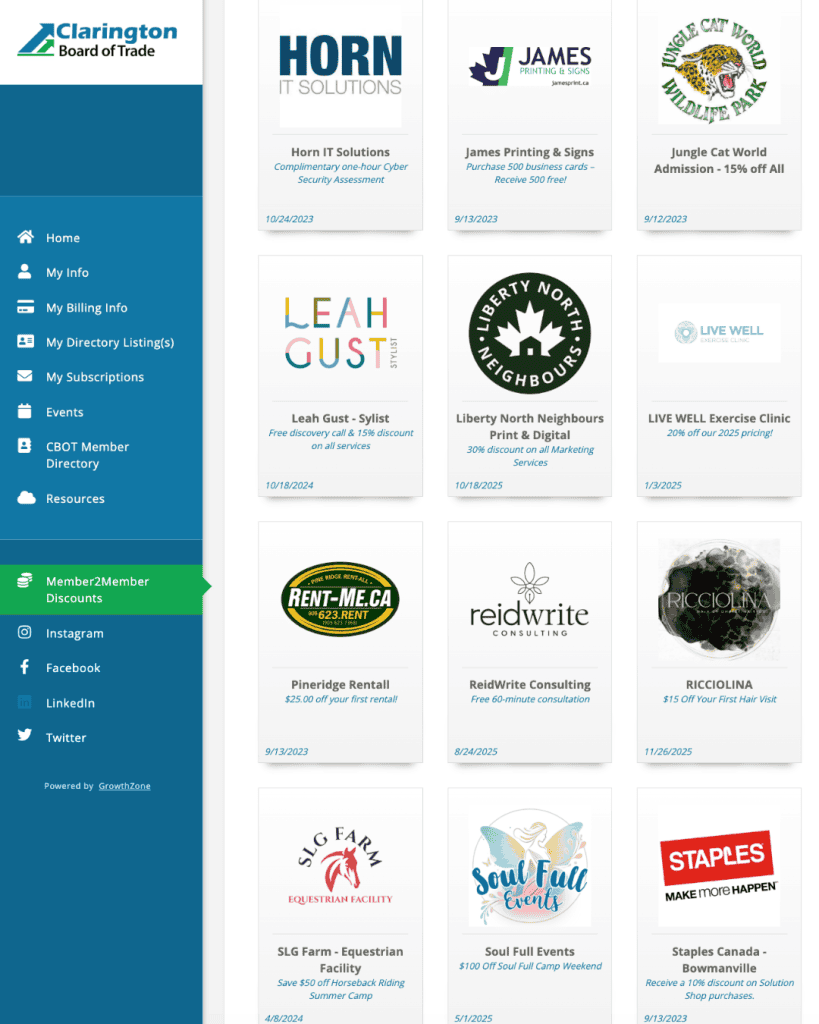
The Member2Member discount program encourages members to support other members within our business community and to support local while receiving amazing discounts.
How Do I Offer Discounts to Other Members?
Create a login for our new Info Hub, if you haven’t done so already (the Info Hub is your membership portal that houses your business/member information).
Once you have a login created, you can login into the Info Hub to post your discount.
Click on the “Member2Member Discounts” menu item on the left and then click the “Add” button in the upper right-hand corner.
Fill in the details of your discount and click Submit.
Your discount will now be live for other members to view.
How Do Members Access These Discounts?
All employees of a member business are considered CBOT members and can access Member2Member discounts.
Create a login into our Info Hub, if you haven’t done so already(the Info Hub is your membership portal that houses your business/member information).
Download the MemberPlus app to your phone.
Login into the Info Hub via your phone, using the login information from above.
Click on the “Member2Member” menu item to access all discounts and select the desired business discount.
Present this to the corresponding business as proof of membership to take advantage of the discount (if required).
CBOT will ensure the Member2Member Discount Program is frequently promoted in our communications and social media, as well included in our new member package and orientation. This is another great opportunity to elevate the visibility of your business.
We would love to have your business participate and support our membership community!